
An interactive real estate booth should do more than attract attention. It should help a relevant visitor understand the development, reveal what matters to them, continue the conversation with the right advisor and leave with a specific next step.
Design the booth as one connected journey: attract, orient, explore, qualify, hand off and confirm. The digital twin explains the project. The visitor supplies context. The sales team interprets intent. A clear process turns that shared understanding into an appointment or accountable follow-up.
A large LED wall, touchscreen, interactive table or digital twin can support this journey, but the technology does not qualify a buyer by itself. Qualification happens when content, interface, people and follow-up are designed as one sales system.
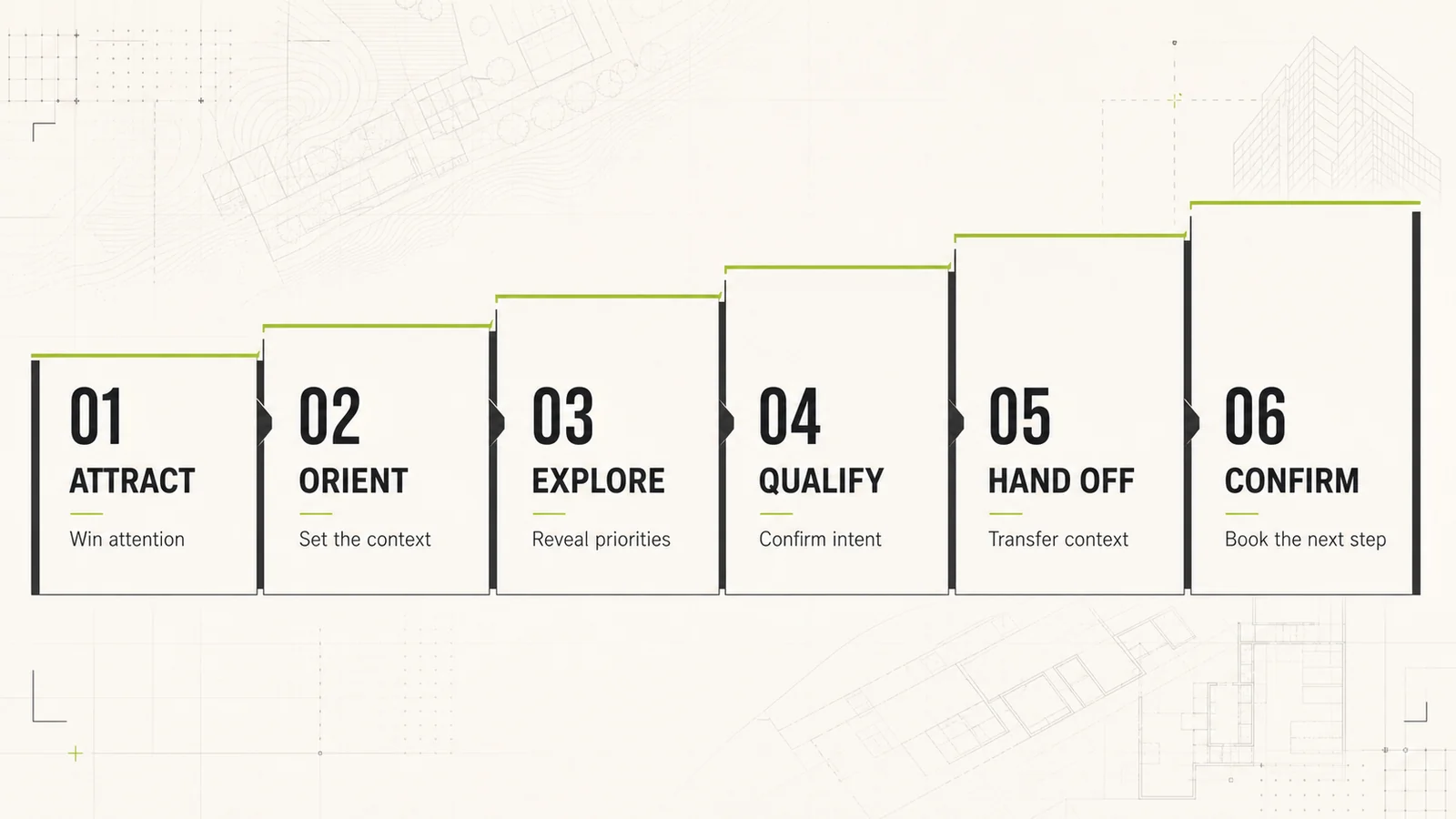
Start with the commercial outcome, not the screen
Booth planning often begins with hardware. Teams choose an LED canvas, interactive model, kiosk or tablet and then ask what content should fill it. Reverse that order. Start with the conversation the developer wants to create.
A useful experience should help the visitor answer five questions:
- Where is the development and how does it connect to its surroundings?
- Which district, phase, asset type or investment story is relevant to me?
- What should I explore next?
- Who can answer my commercial or technical questions?
- What is the agreed next step after the exhibition?
The booth has succeeded when the right visitor reaches an informed sales conversation with useful context. Footfall, screen touches and dwell time can help diagnose the experience, but they are not the same as qualified demand.
What counts as an appointment?
An appointment has a purpose, an owner, a time or agreed scheduling action, confirmation for the visitor and enough context to continue the conversation. A QR scan, brochure request or promise that someone will call is not yet an appointment.
For the broader pre-event, on-site and post-event sequence, see Chameleon Interactive’s customer journey mapping guide for experiential events. The framework below focuses on the decisive minutes inside the real estate booth.
Build the interactive real estate booth journey in six stages
Make project relevance clear from the aisle
Visitor question: “Is this project or opportunity relevant to me?”
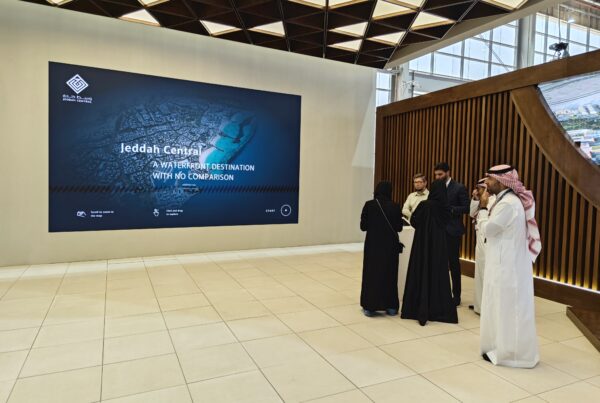
Use the large-format display for one clear promise: the destination, development or opportunity being presented. Show project identity, location and visual character before menus or controls. Motion can create presence, but the story should still make sense without sound.
A host should open with a contextual question, such as whether the visitor is interested in the destination, a specific phase or an investment conversation. The useful signal is not that someone stopped. It is the direction they choose next.
Make the development understandable
Visitor question: “Where is this, what is the overall plan and why does it matter?”
Begin with a masterplan or city view that establishes location, districts, access, scale and the project’s main proposition. Reveal detail progressively, so each new layer answers the visitor’s next question instead of competing for attention.
A digital twin should be described accurately. The Digital Twin Consortium definition emphasizes a virtual representation synchronized with real-world entities at a specified frequency and fidelity. If an exhibition experience is primarily a high-fidelity interactive visualization, avoid implying live operational data that is not present.
Guide choice without exposing every feature
Visitor question: “Show me the part of the development that fits my interest.”
Offer a small number of meaningful routes: district, phase, asset type, amenities, connections or a specific project when approved data is available. A booth interface is not a property database. Its job is to help the visitor make the next useful decision while keeping the shared display readable for colleagues and advisors.
Presenter control is especially valuable for complex masterplans. The advisor can move between city, district and project scales while keeping the conversation responsive rather than forcing every visitor through the same fixed presentation.

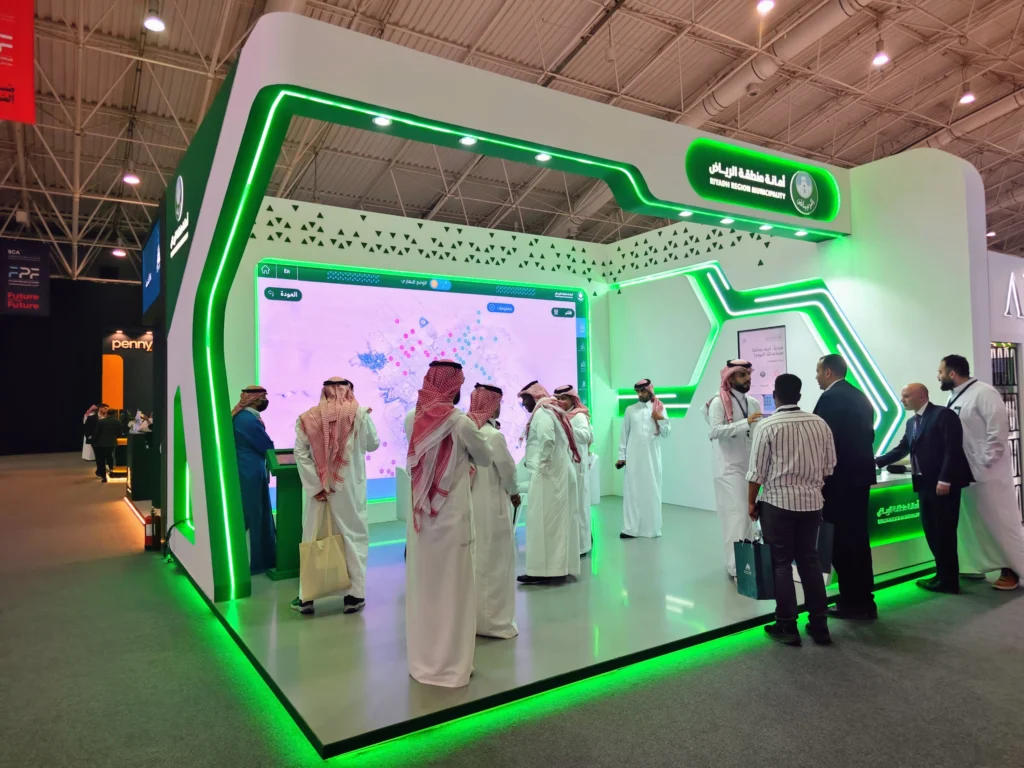
Identify intent without disguising a form as an experience
Visitor question: “Can this team help with what I am trying to achieve?”
Capture only information that changes the next action. Depending on the project, this may include the area of interest, asset type, visitor role, indicative timing, preferred language and requested follow-up.
Repeated taps, proximity and time at the screen can show interaction. They do not prove purchase intent. Qualification should remain explicit, transparent and based on the client’s agreed commercial criteria.
Give the sales advisor usable context
Visitor question: “Can the next person continue from where I am now?”
A weak handoff makes the visitor repeat everything. A useful handoff identifies the selected development or asset, the visitor’s objective, the unanswered question, preferred follow-up and the person who owns the next action.
This context can move through an approved lead-capture workflow, a staff tablet or a disciplined manual summary. CRM integration is optional. Reliable ownership and continuity are essential.
Make the next step specific
Visitor question: “What happens next, when and with whom?”
Close the loop while the conversation is still clear. The next action might be a sales-center visit, private project presentation, video meeting, specialist discussion or delivery of an approved information pack.
Confirm the owner, timing, channel and promised material. Prepare an offline fallback for venues where connectivity or calendar access may fail.
The booth does not close the property sale. Its job is to create a better informed, context-rich handoff to the human who can move the opportunity forward.
Support quick discovery and guided consultation
Not every visitor needs the same depth. A busy exhibition booth should support two intentional paths without splitting into two unrelated experiences.
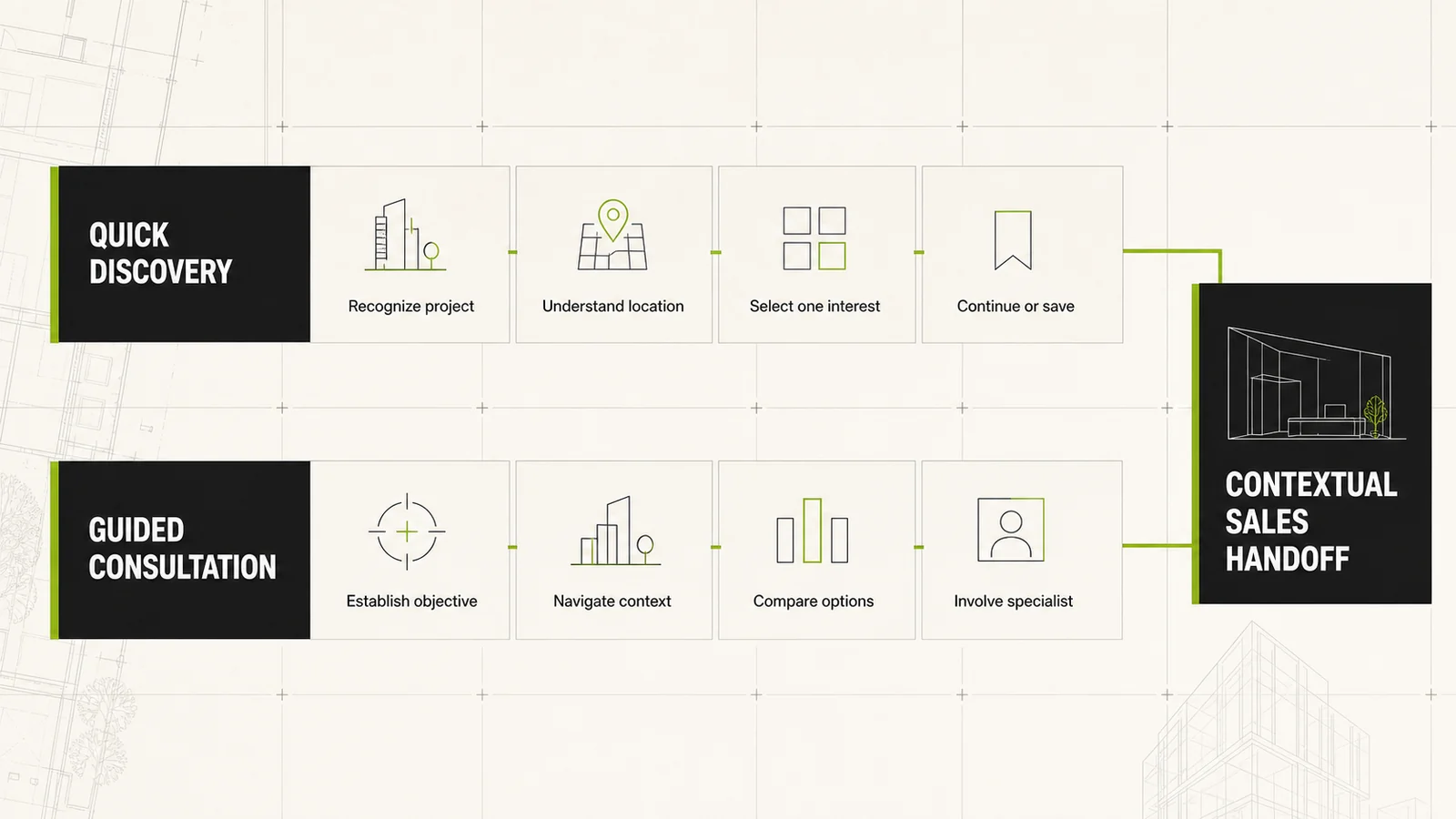
Quick discovery
For visitors who are early in the journey or moving between meetings:
- Recognize the project.
- Understand the location and proposition.
- Select one area of interest.
- Choose a human conversation or approved resource.
Guided consultation
For buyers, investors, brokers and stakeholders with a defined objective:
- Establish role and purpose.
- Navigate to relevant development context.
- Compare approved options.
- Bring in the right specialist.
- Confirm the next meeting or action.
Design the staff, content and technology as one system
Even a compact booth benefits from explicit roles: a host who recognizes relevance and manages flow, a presenter who operates the experience, a sales or technical specialist who interprets intent, and support that protects availability and recovery. One person may cover several roles, but ownership must still be clear.
| Interaction mode | Best role | Planning question |
|---|---|---|
| Large LED display | Aisle visibility and shared project story | Is the message clear at distance and without sound? |
| Presenter-controlled digital twin | Orientation, exploration and contextual discussion | Can the advisor reach the right view in seconds? |
| Touch table | Collaborative masterplan or portfolio exploration | Can several people use it without blocking the booth? |
| Touchscreen or kiosk | Self-guided discovery and structured choices | Is the route simple, accessible and easy to reset? |
| Visitor phone or QR handoff | Personal resource or appointment action | Is the destination useful, approved and measurable? |
Accessibility and performance belong in planning, not in the final check. Touch targets, contrast, labels, viewing distances and alternative input methods should reflect the real display and venue. The W3C target-size guidance provides a baseline for pointer controls. The AVIXA performance verification guide is a useful reference for defining and testing audiovisual requirements under operating conditions.
Measure the complete journey, not one engagement score
Define each metric before the event and keep operational signals separate from sales outcomes.
Experience health
- Availability during event hours
- Successful reset between visitors
- Time required to reach the right story
- Failures that interrupted the journey
Visitor progression
- Experience starts
- Defined stage completions
- Topics or project areas selected
- Requests for staff assistance
Sales handoff
- Handoffs with required context
- Named owner acceptance
- Follow-up tasks created
- Appointments requested or confirmed
Downstream outcomes
- Appointments attended
- Qualified opportunities under the client definition
- Later progression responsibly connected to the event
Google Analytics event mapping
If Google Analytics is part of an approved measurement plan, keep content interactions separate from lead-funnel status. Google’s recommended lead-generation events provide a useful vocabulary for defined sales milestones.
Keep the distinction clear: a project view or unit comparison remains an interaction signal until the client’s qualification criteria are met.
Interactive real estate booth planning checklist
- Target visitors and commercial objectives are explicit.
- The aisle message makes the project recognizable.
- The masterplan establishes location and context.
- Quick and guided routes are both defined.
- The interface exposes only approved, useful information.
- Staff roles and handoff language are rehearsed.
- Data capture has a clear purpose and privacy treatment.
- Appointment and follow-up ownership are agreed.
- Reset, recovery and offline fallbacks are tested.
- Metrics and denominators are documented before opening.
Plan the journey before choosing the screens
Chameleon Interactive connects the project story, real estate digital twin, display system, presenter controls and sales handoff into one coherent exhibition or sales-center experience.
Frequently asked questions
What is an interactive real estate booth journey?
It is the planned sequence that moves a relevant visitor from project recognition to orientation, exploration, intent qualification, sales handoff and a confirmed next action. It includes technology, content, staff roles and follow-up.
Does a digital twin automatically generate qualified leads?
No. A digital twin can reveal what a visitor chooses to explore and support a better conversation. Qualification requires explicit criteria, appropriate data handling and a human or approved sales workflow.
Should the experience be self-guided or presenter-led?
Many booths need both. A short self-guided route supports discovery, while a presenter-led route is stronger for complex masterplans, investment discussions and questions that require context.
Is CRM integration essential?
No. What is essential is a reliable handoff with useful context, ownership and status. CRM integration can improve consistency when it is available, approved and properly scoped.
How should the booth be measured?
Measure the full chain: system reliability, visitor progression, contextual handoffs, confirmed appointments and later opportunity progression under agreed definitions. Do not report screen touches or dwell time as sales outcomes.
- Riyadh Digital Twin at Future Projects Forum
- Jeddah Central Digital Twin Project
- Pixel Streaming for Exhibitions
- Chameleon Digital Twin Solutions
- Digital Twin Consortium: definition of a digital twin
- W3C: target size guidance
- AVIXA: audiovisual systems performance verification
- Google Analytics: recommended lead-generation events

One Comment